See your studio before you build it.
The complete broadcast studio planning tool. Design camera layouts, visualize in 3D, and generate documentation for your crew\u2014all in one browser-based application.
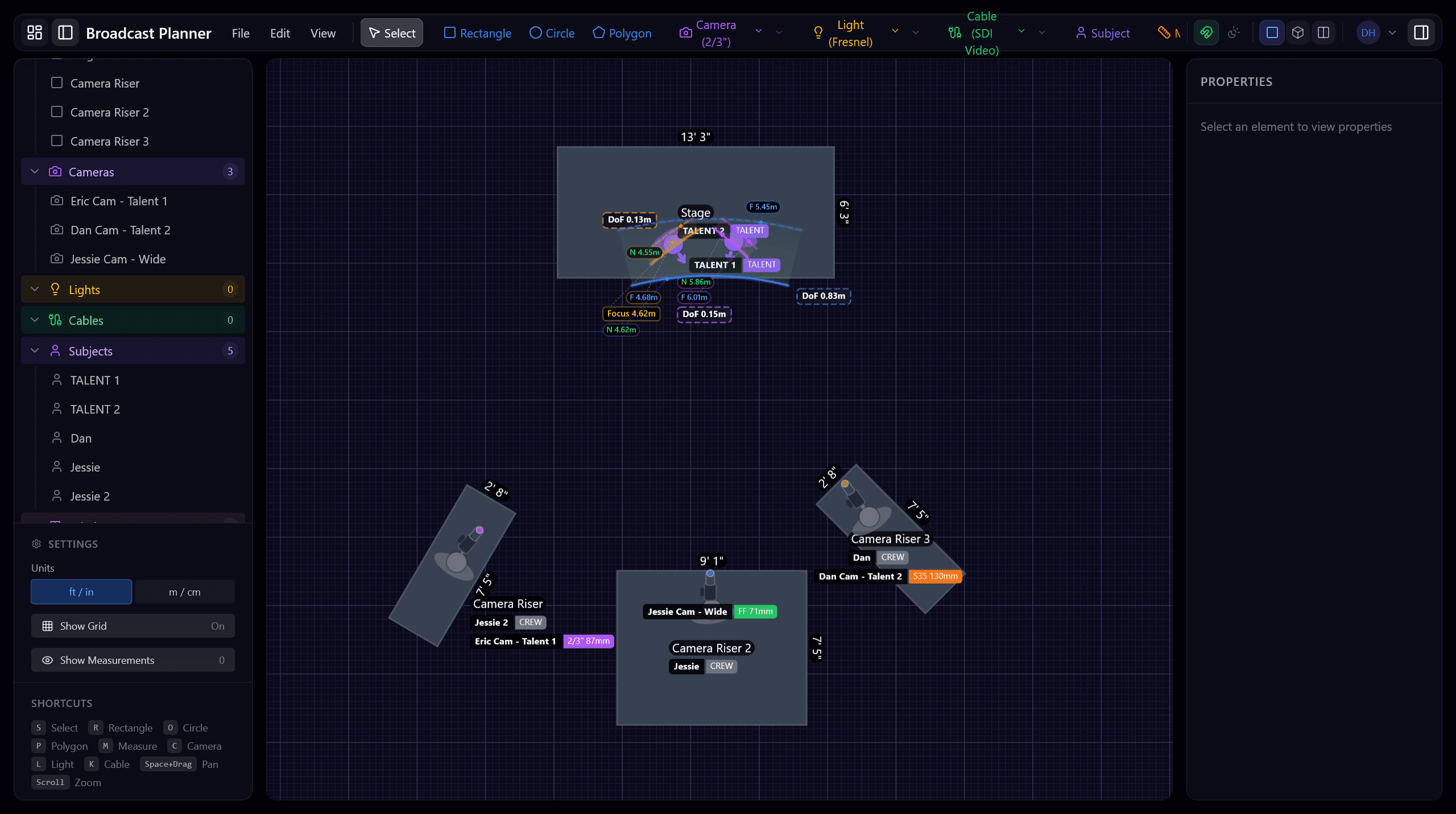
Every detail, planned ahead
From camera placement to cable runs, Broadcast Planner gives you complete control over your studio design before a single piece of gear moves.
2D Studio Layout
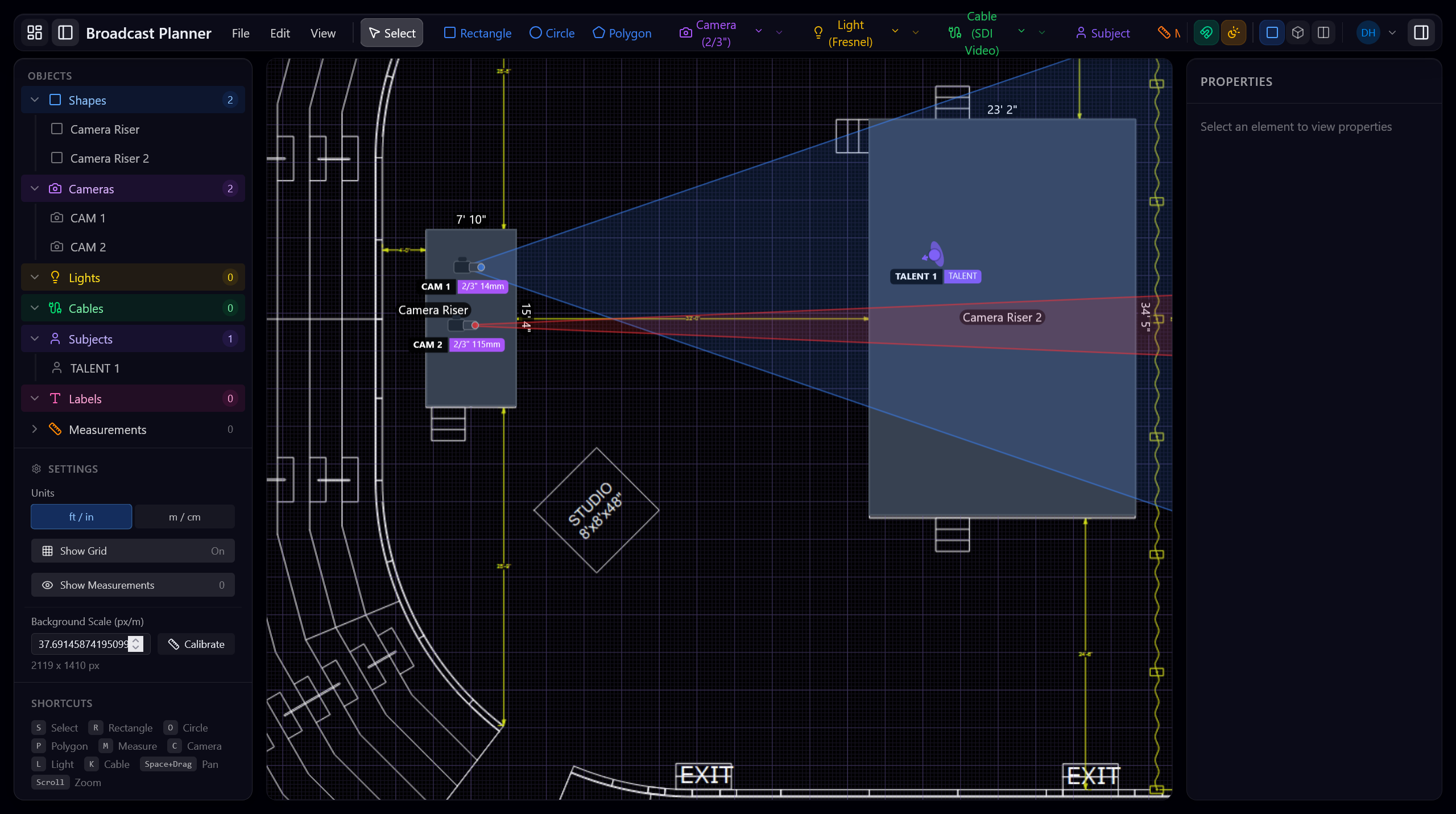
Plan your entire broadcast studio on an intuitive canvas. Place camera risers, talent positions, lights, and set pieces with precise measurements. See camera fields of view and coverage zones in real time.
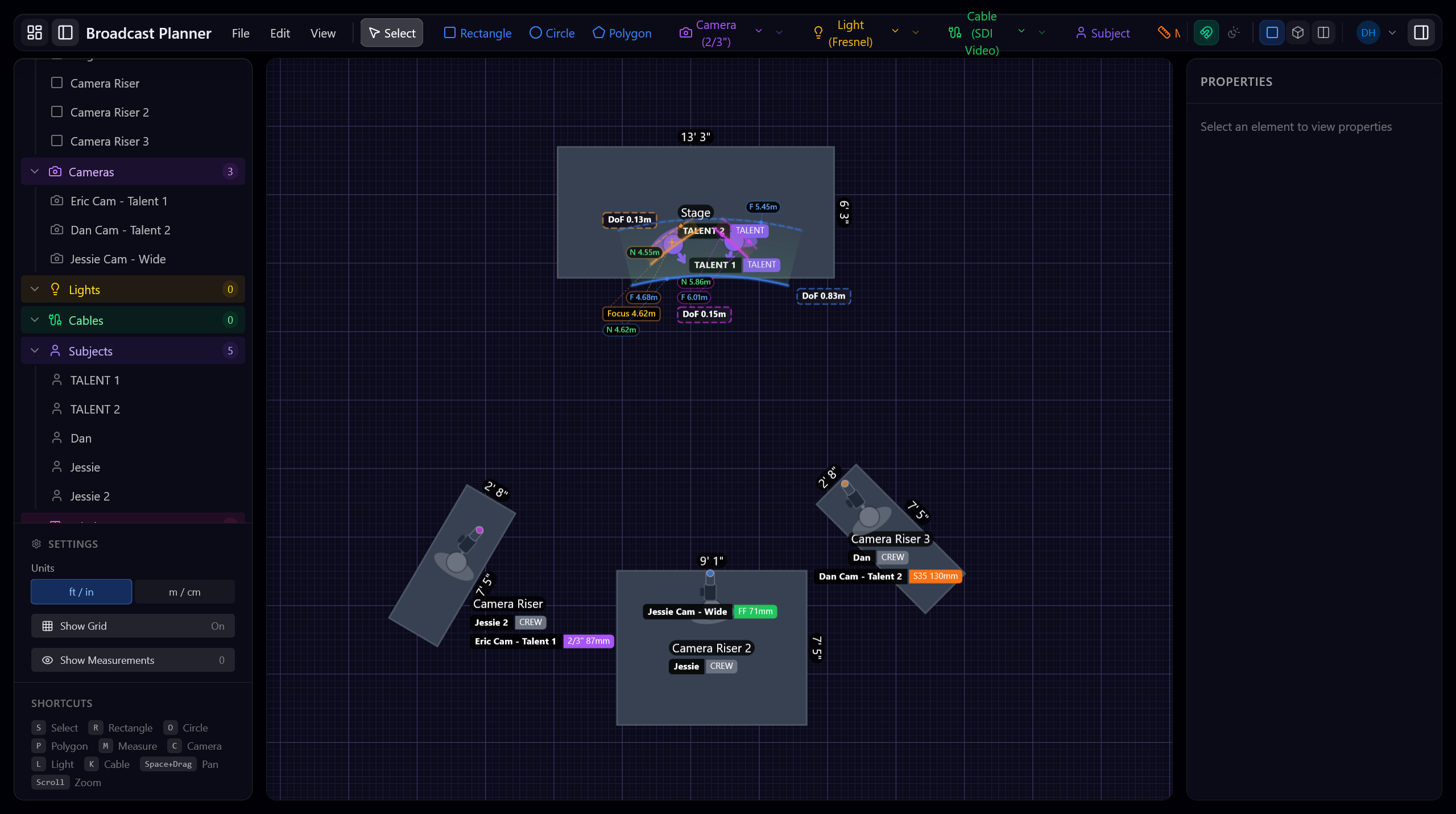
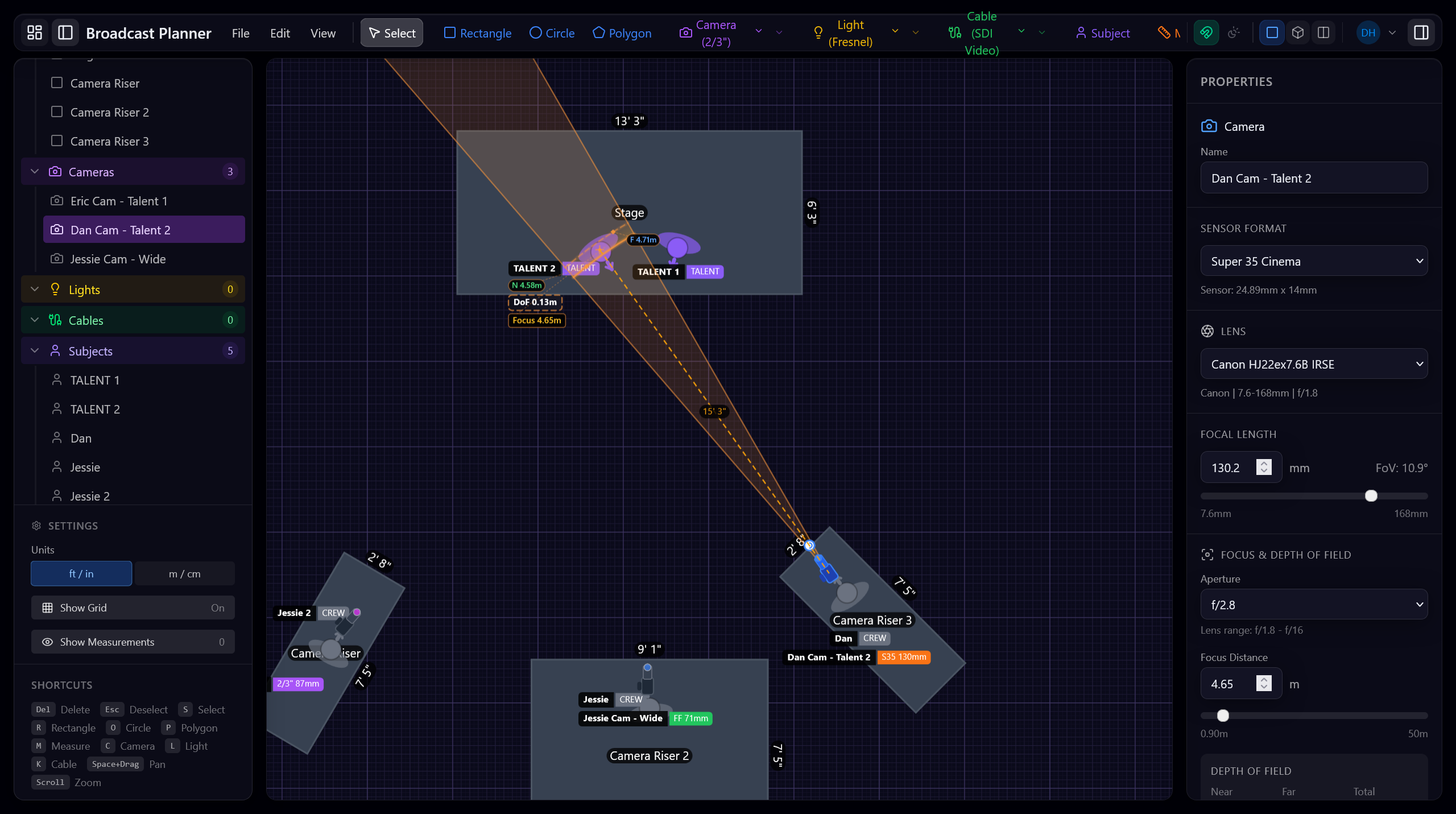
Camera Properties & Lens Planning
Configure every camera with real-world sensor formats and lens data. See depth of field, field of view, and focus distances calculated automatically. Support for Super 35, 2/3" Broadcast, and custom formats.
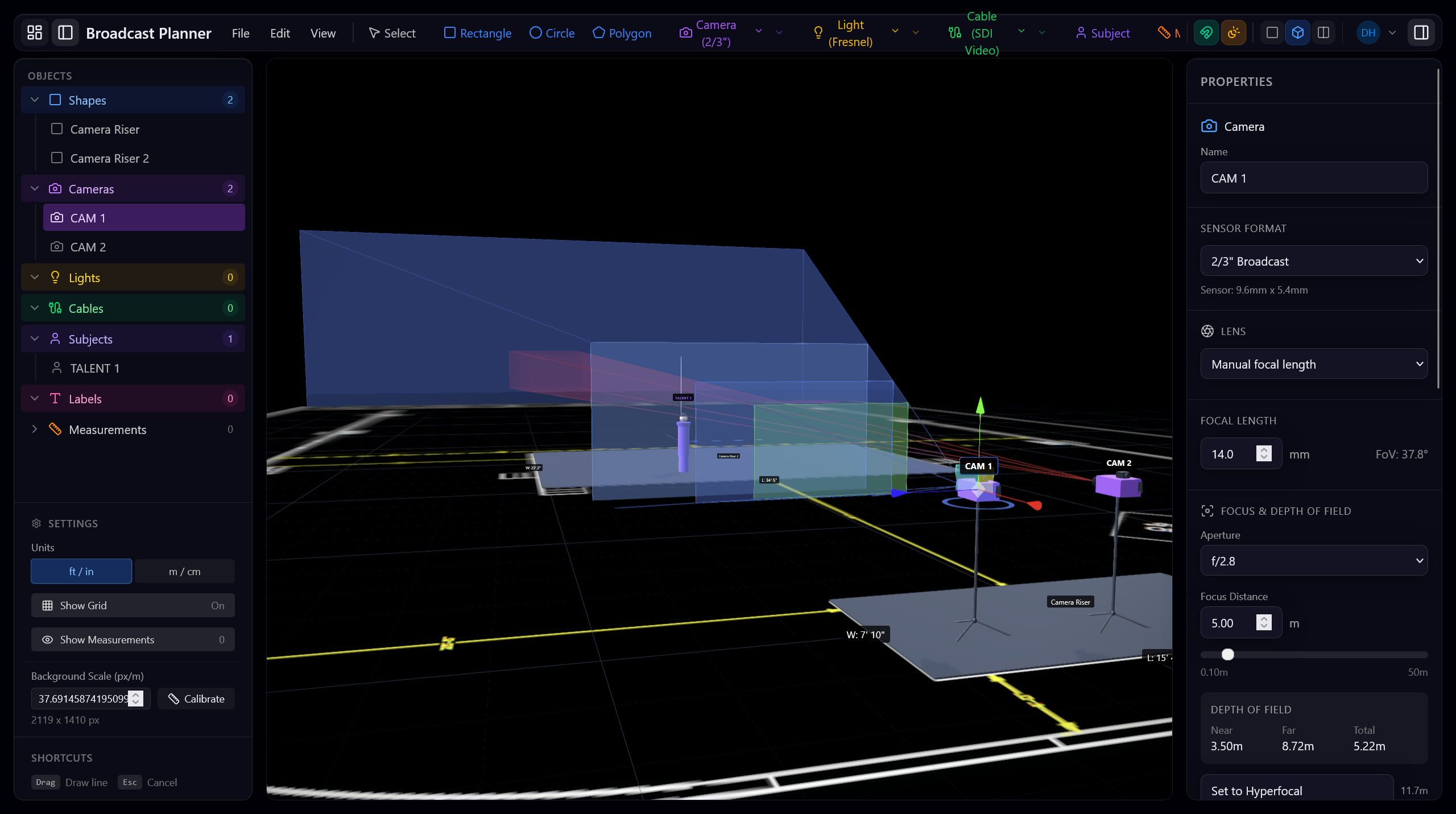
3D Visualization
See your studio in full 3D before build day. Visualize camera positions, lighting rigs, and set pieces from any angle. Verify sightlines, check for obstructions, and present to stakeholders with confidence.
Measurements & Documentation
Add precise measurements to your floor plan. Cable runs, riser dimensions, talent marks, and exit paths—all documented and exportable for your crew.
Built for broadcast professionals
Whether you're planning a news studio, a live event, or a multi-camera production, Broadcast Planner has you covered.
Studio Design
Plan permanent and temporary studio setups. Place cameras, lights, talent positions, and set pieces with precise measurements.
Live Events
Plan multi-camera coverage for concerts, sports, and corporate events. Verify sightlines and coverage before load-in.
Pre-Production
Generate floor plans and documentation for your crew. Share plans digitally or print for on-site reference.
Plan your next production
Stop guessing camera placements and cable runs. Broadcast Planner gives you a complete studio design tool in your browser.